CocoFax Review: The Ultimate Solution for Secure and Reliable Online Faxing

Faxing remains a vital communication tool for many remote agencies, especially when handling sensitive documents. Yet traditional fax machines are bulky, slow, and prone to security risks. This is where CocoFax steps in, offering a simple, secure, and reliable online fax service designed to meet the needs of modern businesses. This review explores how CocoFax can transform your faxing experience, making it greener, smarter, and faster.

What Makes CocoFax Stand Out
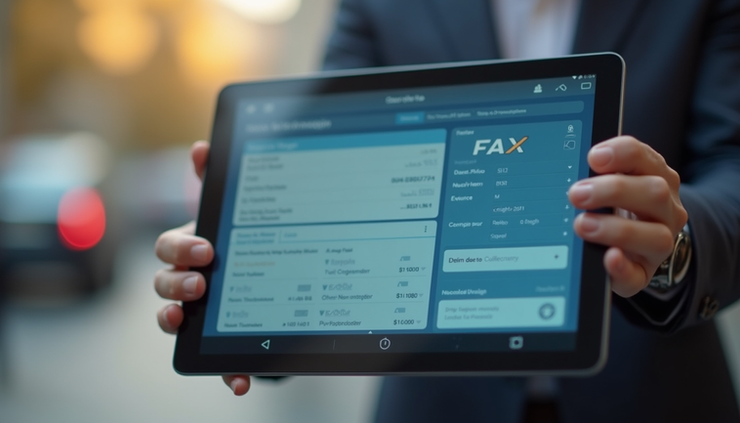
CocoFax is not just another e-fax provider. It combines ease of use with strong security features and dependable delivery, making it a top choice for remote agencies that require quick and safe document transmission.
User-friendly interface: CocoFax’s platform is intuitive, allowing users to send and receive faxes directly from email or a web dashboard without any technical hassle.
Strong security: It uses encryption to protect your documents during transmission and storage, reducing the risk of data breaches.
Reliable delivery: CocoFax guarantees that your faxes reach their destination promptly, with delivery confirmations to keep you informed.
Eco-friendly: By eliminating the need for paper and physical fax machines, CocoFax supports greener business practices.
How CocoFax Works for Remote Agencies
Remote agencies often juggle multiple clients and projects, requiring fast and secure document exchange. CocoFax fits perfectly into this workflow by offering:
Faxing from anywhere: Since CocoFax operates online, you can send or receive faxes from any device with internet access—be it a laptop, tablet, or smartphone.
No hardware needed: Forget about maintaining fax machines or dedicated phone lines. CocoFax handles everything in the cloud.
Integration with email: You can send a fax simply by attaching a document to an email and addressing it to the recipient’s fax number followed by @cocofax.net.
Digital archiving: All sent and received faxes are stored securely online, making it easy to search and retrieve past documents.
Security Features That Protect Your Data
Security is a top concern when faxing sensitive information such as contracts, personal data, or financial records. CocoFax addresses this with multiple layers of protection:
End-to-end encryption: Documents are encrypted during transmission, preventing interception.
Secure storage: Faxes are stored in encrypted form on CocoFax’s servers.
Access control: Only authorized users can access your fax account and documents.
Audit trails: CocoFax provides logs of fax activity, helping you track who sent or received what and when.
These features make CocoFax a trustworthy choice for agencies handling confidential client information.
Practical Benefits of Using CocoFax
Using CocoFax offers several practical advantages that improve daily operations:
Save time: No more waiting by the fax machine or dealing with paper jams. Send faxes instantly from your device.
Reduce costs: Cut expenses on fax machines, paper, toner, and phone lines.
Increase productivity: Staff can focus on core tasks instead of managing fax hardware.
Improve client service: Quick and reliable fax delivery helps meet deadlines and client expectations.
Support sustainability: Going paperless aligns with eco-friendly business goals.
Real-World Example: How a Remote Agency Uses CocoFax
Consider a remote marketing agency that frequently signs contracts with clients worldwide. Before switching to CocoFax, they relied on scanning and emailing signed documents, which sometimes caused delays or confusion over versions.
With CocoFax, the agency sends contracts as faxes directly from their email. The client receives the fax on their end as a traditional fax or email, depending on their setup. Signed contracts are faxed back securely and stored in CocoFax’s online archive. This process saves time, reduces errors, and keeps sensitive documents protected.
Comparing CocoFax to Other E-Fax Services
Many e-fax providers exist, but CocoFax offers a balance of features that suit remote agencies:
| Feature | CocoFax | Typical E-fax Service |
|-----------------------|--------------------------|-----------------------------|
| Ease of use | Very intuitive | Varies, sometimes complex |
| Security | End-to-end encryption | Often basic encryption |
| Device compatibility | All internet-enabled devices | Limited to certain platforms |
| Storage | Secure cloud archive | Limited or no storage |
| Pricing | Competitive plans | Often higher or hidden fees |
This combination makes CocoFax a practical choice for agencies that want a straightforward, secure faxing solution without hidden costs.
Getting Started with CocoFax
Starting with CocoFax is simple and fast:
Sign up online: Choose a plan that fits your fax volume.
Get a fax number: Select a local or toll-free number.
Send and receive faxes: Use email or the web dashboard to manage faxes.
Access support: CocoFax offers customer support to help with setup or questions.
The onboarding process requires no special equipment or technical skills, making it accessible for any remote agency.

Tips for Maximizing CocoFax Use
To get the most from CocoFax, consider these tips:
Use email integration to fax directly from your existing email client.
Set up notifications to get alerts when faxes arrive or send.
Organize your fax archive with folders and tags for easy retrieval.
Train your team on how to use CocoFax efficiently.
Review fax logs regularly to monitor usage and security.
These steps help ensure smooth fax operations and protect your data.
Comments